

Lexical Codeプラグインでcodeブロックのシンタックスハイライトを有効化する
Codeブロックの言語を変更する
https://playground.lexical.dev/
Lexical Playgroundでは、コードブロックを編集している場合にToolBarの内容が変更され、コードブロックで検出する言語を変更できるようになっている。
通常のテキスト選択時

コードブロック選択時

コードブロックを編集中はフォントサイズの変更、画像やリンクの挿入などの操作を行う必要はないため、ツールバー自体の内容を変更するのが理にかなっている。この挙動をToolBarPluginに実装していく。
選択中のNodeに応じてToolbarの状態を変更する
まず、通常時のToolbarを"default"、Code Node選択時のToolbarを"code"と定めてToolbarState typeを作成する。
type ToolbarState = "default" | "code";現在のcaretの位置に応じてToolbarStateを更新することを目標にする。
      editor.registerUpdateListener(({ editorState }) => {
        editorState.read(() => {
          updateToolbar();
        });
      }),
editorにUpdateListenerを登録することで、caretの移動を含むeditorStateの更新を検知することができる。
updateToolbar中で以下のようにNodeを取得しToolbarStateを更新する。
      const anchorNode = selection.anchor.getNode();
      let element =
        anchorNode.getKey() === "root"
          ? anchorNode
          : $findMatchingParent(anchorNode, (e) => {
              const parent = e.getParent();
              return parent !== null && $isRootOrShadowRoot(parent);
            });

      if (element === null) {
        element = anchorNode.getTopLevelElementOrThrow();
      }

      ...

      setToolbarState(element.getType() === "code" ? "code" : "default");
あとはToolbarStateに応じてJSX内で分岐を行うなどしてToolbarの内容を切り替える。
syntax highlightingを行う言語はshadcnのselectコンポーネントを用いて選ぶことができるようにする。
以下実装例
      {toolbarState === "code" && (
        <>
          <Select
            onValueChange={(value) => {
              editor.update(() => {
                const selection = $getSelection();
                if (!$isRangeSelection(selection)) return;

                const anchorNode = selection.anchor.getNode();

                const codeNode = $findMatchingParent(
                  anchorNode,
                  (node) => $isCodeNode(node)
                );

                if ($isCodeNode(codeNode)) {
                  codeNode.setLanguage(value);
                }
              })
            }}
          >
            <SelectTrigger className="w-[180px]">
              <SelectValue placeholder="Language" />
            </SelectTrigger>
            <SelectContent>
              {
                Object.entries(CODE_LANGUAGE_FRIENDLY_NAME_MAP).map(
                  ([language, label]) => (
                    <SelectItem key={language} value={language}>{label}</SelectItem>
                  )
                )
              }
            </SelectContent>
          </Select>
        </>
      )}
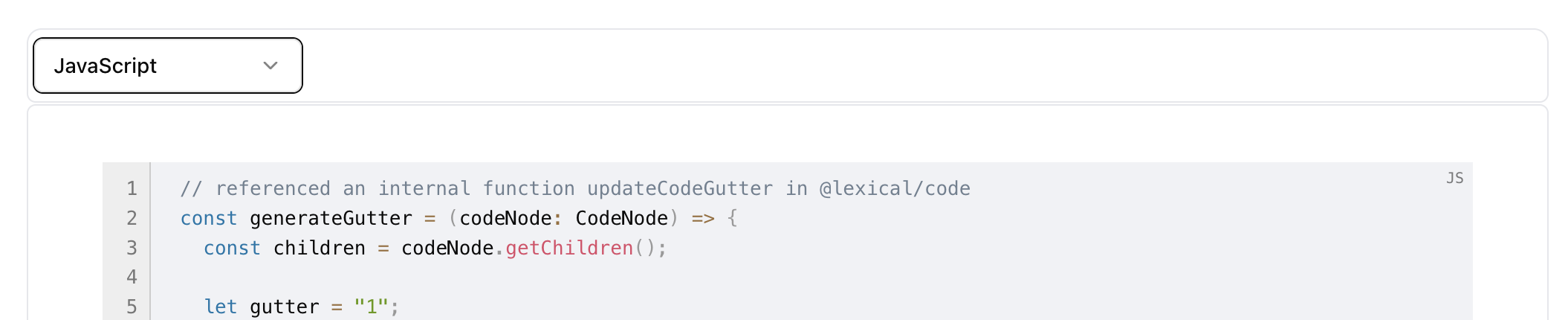
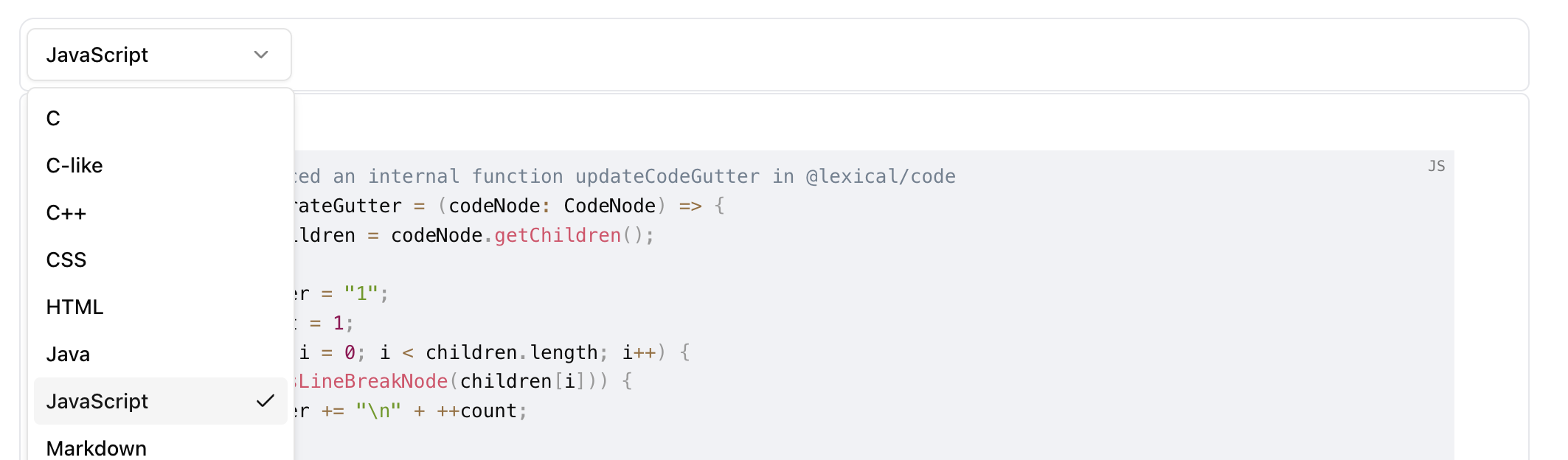
lexical/code中にCODE_LANGUAGE_FRIENDLY_NAME_MAPという定数が定義されていて、これを利用するといい感じ。YAMLが無さそうだったのがちょっとイマイチなので、いつか対応したい。
ひとまず以下のような感じに。悪くない。
Code NodeのEditorThemeに関して
Lexical Codeは内部でPrismを用いてsyntax highlightingを行っており、EditorThemeでPrismのpropertyに対応させてCSSを当てることができる。
  codeHighlight: {
    atrule: styles["editor-tokenAttr"],
    attr: styles["editor-tokenAttr"],
    boolean: styles["editor-tokenProperty"],
    builtin: styles["editor-tokenSelector"],
    cdata: styles["editor-tokenComment"],
    char: styles["editor-tokenSelector"],
    class: styles["editor-tokenFunction"],
    "class-name": styles["editor-tokenFunction"],
    comment: styles["editor-tokenComment"],
    constant: styles["editor-tokenProperty"],
    deleted: styles["editor-tokenDeleted"],
    doctype: styles["editor-tokenComment"],
    entity: styles["editor-tokenOperator"],
    function: styles["editor-tokenFunction"],
    important: styles["editor-tokenVariable"],
    inserted: styles["editor-tokenInserted"],
    keyword: styles["editor-tokenAttr"],
    namespace: styles["editor-tokenVariable"],
    number: styles["editor-tokenProperty"],
    operator: styles["editor-tokenOperator"],
    prolog: styles["editor-tokenComment"],
    property: styles["editor-tokenProperty"],
    punctuation: styles["editor-tokenPunctuation"],
    regex: styles["editor-tokenVariable"],
    selector: styles["editor-tokenSelector"],
    string: styles["editor-tokenSelector"],
    symbol: styles["editor-tokenProperty"],
    tag: styles["editor-tokenProperty"],
    unchanged: styles["editor-tokenUnchanged"],
    url: styles["editor-tokenOperator"],
    variable: styles["editor-tokenVariable"],
  },
ref. https://lexical.dev/docs/getting-started/theming
おまけ: Code NodeのJSONシリアライズの形式を確認する
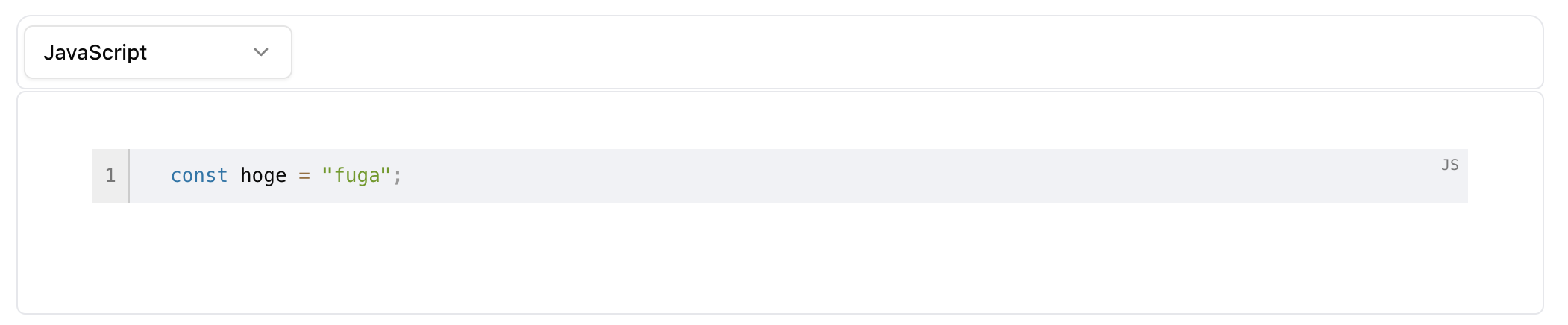
以下のように、"code"ノードのchildrenとして"code-highlight"ノードがtokenごとに収容されている。tokenごとにJSONオブジェクトになっているのでデータ効率は結構悪めに見える。
{
    "root": {
        "children": [
            {
                "children": [
                    {
                        "detail": 0,
                        "format": 0,
                        "mode": "normal",
                        "style": "",
                        "text": "const",
                        "type": "code-highlight",
                        "version": 1,
                        "highlightType": "keyword"
                    },
                    {
                        "detail": 0,
                        "format": 0,
                        "mode": "normal",
                        "style": "",
                        "text": " hoge ",
                        "type": "code-highlight",
                        "version": 1
                    },
                    {
                        "detail": 0,
                        "format": 0,
                        "mode": "normal",
                        "style": "",
                        "text": "=",
                        "type": "code-highlight",
                        "version": 1,
                        "highlightType": "operator"
                    },
                    {
                        "detail": 0,
                        "format": 0,
                        "mode": "normal",
                        "style": "",
                        "text": " ",
                        "type": "code-highlight",
                        "version": 1
                    },
                    {
                        "detail": 0,
                        "format": 0,
                        "mode": "normal",
                        "style": "",
                        "text": "\"fuga\"",
                        "type": "code-highlight",
                        "version": 1,
                        "highlightType": "string"
                    },
                    {
                        "detail": 0,
                        "format": 0,
                        "mode": "normal",
                        "style": "",
                        "text": ";",
                        "type": "code-highlight",
                        "version": 1,
                        "highlightType": "punctuation"
                    }
                ],
                "direction": "ltr",
                "format": "",
                "indent": 0,
                "type": "code",
                "version": 1,
                "language": "js"
            }
        ],
        "direction": "ltr",
        "format": "",
        "indent": 0,
        "type": "root",
        "version": 1
    }
}